
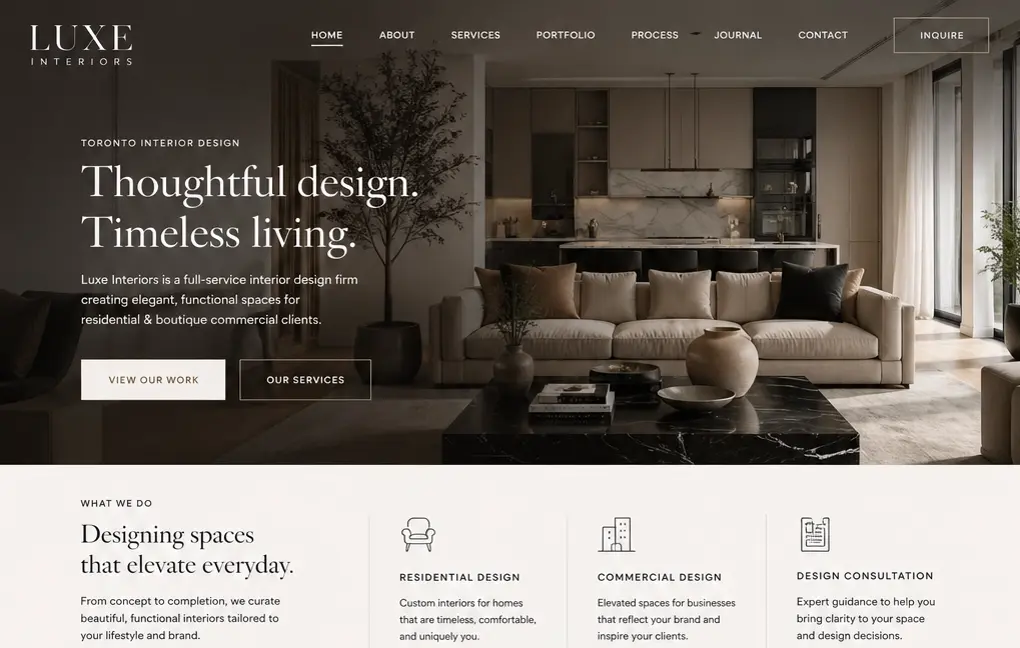
Web Design, SEO Structure
Luxe Interiors
A premium interiors brand repositioned with a stronger visual system, clearer service pages, and SEO-ready structure.
+120% Organic Traffic
+85% Lead Increase
AI EMAIL & INBOX AUTOMATION
We build practical inbox automation systems that classify messages, identify sales opportunities, prepare response drafts, route inquiries, and keep customer communication moving without losing control.
Customer emails, website inquiries, support requests, estimate questions, and sales opportunities often arrive in the same inbox. Without a clear triage and follow-up system, important messages get delayed, buried, or handled inconsistently.
Enveos designs approval-based inbox automation systems that classify incoming messages, extract useful context, route work to the right person, prepare replies, update business systems, and create visibility across lead and support activity.
Automatic classification for sales inquiries, support requests, urgent messages, spam, admin tasks, bookings, estimate requests, and customer follow-ups.
AI-assisted reply drafts based on your tone, policies, services, FAQs, approval rules, and escalation requirements.
Route messages to the right team member, CRM pipeline, support queue, booking workflow, or follow-up sequence based on message intent.
Create or update CRM records, assign owners, generate tasks, summarize conversations, and preserve context for future follow-up.
Keep sensitive customer communication controlled with approval steps, human review, priority rules, and fallback handling.
Automated summaries showing response times, message categories, unresolved inquiries, lead volume, and operational bottlenecks.
INBOX SYSTEM FRAMEWORK
A high-performing AI inbox system does not replace your team. It gives every message a clear path so leads, support requests, and customer conversations move faster with less manual sorting.
BEST-FIT BUSINESSES
This service is designed for teams that rely on email, website forms, shared inboxes, and customer communication workflows to convert inquiries and support existing clients.
RELATED AI SYSTEMS
Inbox automation becomes more powerful when it connects directly to lead capture, CRM follow-up, sales workflows, and your broader AI automation foundation.
CASE STUDIES
Web Design, SEO Structure
A premium interiors brand repositioned with a stronger visual system, clearer service pages, and SEO-ready structure.
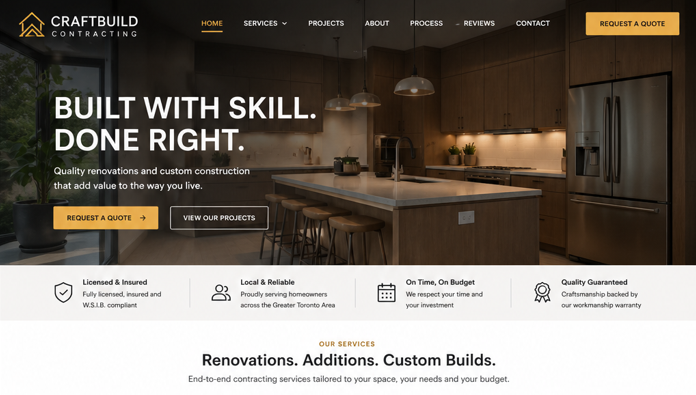
Web Design, SEO
A contractor website rebuilt around trust, project credibility, and higher-intent quote requests.
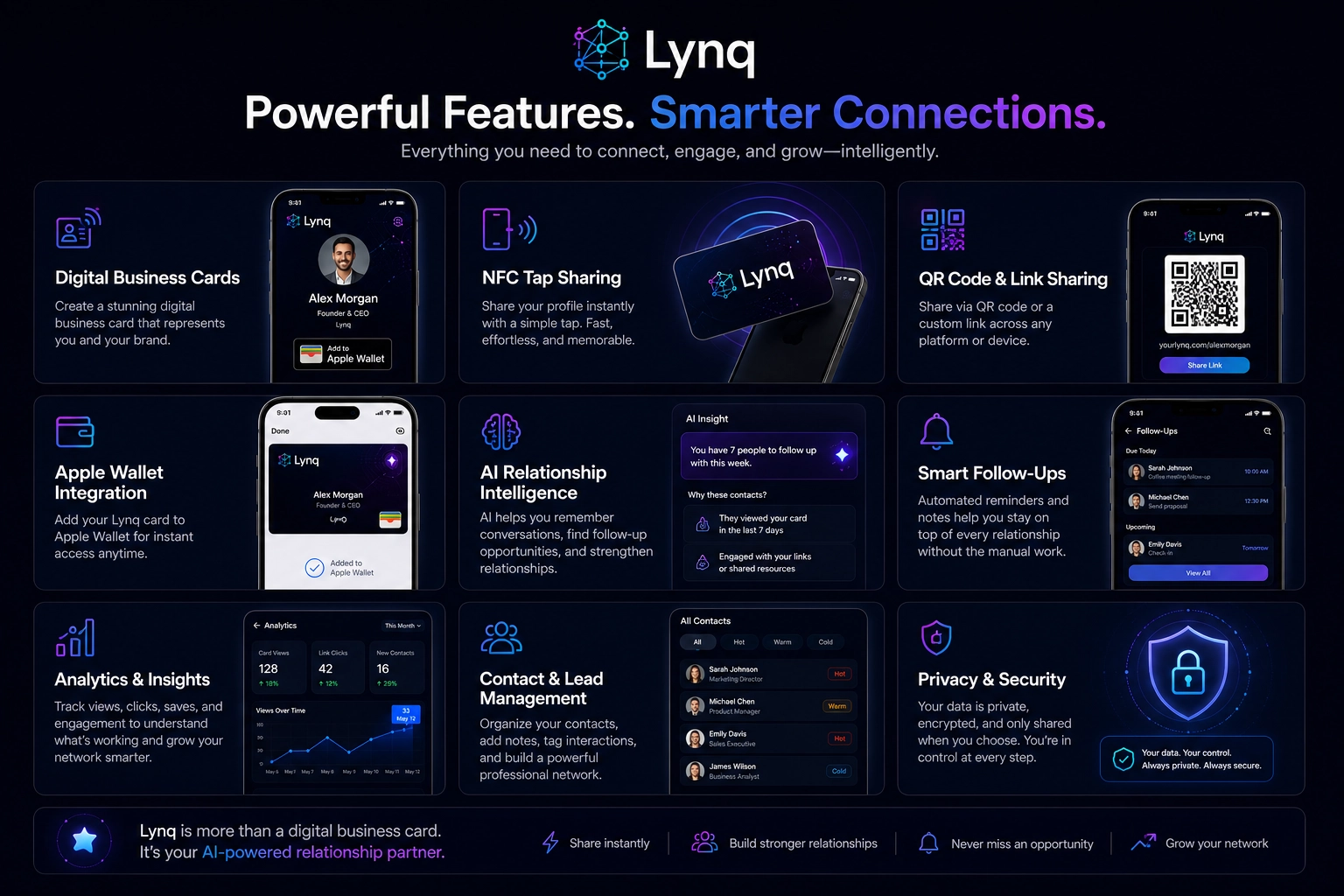
UI/UX Design, Custom Development, Web Design, Product Strategy
A scalable platform experience built to modernize digital networking, simplify user interactions, and support long-term product growth.
OUR PROCESS
We map your message sources, inbox categories, response rules, approval needs, and CRM or support workflows before building a controlled automation system around your team.
We review message sources, shared inboxes, response patterns, lead handoffs, support categories, and manual admin steps.
We define message categories, priority rules, routing paths, reply-draft logic, escalation rules, and approval requirements.
We connect email, website forms, CRM records, task systems, notifications, reporting, and AI-assisted inbox logic.
We test real message paths, confirm routing accuracy, train your team, and validate approval steps before full rollout.
We review response speed, triage accuracy, unresolved messages, common questions, and workflow gaps to improve the system.
AI email and inbox automation uses controlled workflows to classify incoming messages, extract context, prepare responses, route inquiries, create tasks, update CRM records, and report on communication bottlenecks.
It can, but we usually recommend approval-based workflows for customer-facing communication. AI can draft, categorize, route, and recommend next steps while your team keeps control over sensitive replies.
Yes. We can design workflows around Gmail, Outlook, shared inboxes, website forms, CRM tools, support queues, and internal notification systems depending on your stack.
Yes. It can identify new sales inquiries, prioritize urgent opportunities, prepare response drafts, create CRM tasks, and reduce the chance that valuable leads sit unanswered.
Most inbox automation implementations take 4 to 8 weeks depending on inbox complexity, CRM requirements, approval rules, support categories, and integrations.
FREE AUDIT REQUEST
Tell us how your team handles email, forms, customer requests, and lead inquiries. We will identify practical ways to improve response speed and reduce manual inbox work.
READY WHEN YOU ARE
Let's build an AI inbox automation system that helps your team classify, route, respond, and follow up with less manual effort.